A Load Testing Strategy That Outlives Your Current Stack

I wrote about CraftCMS and PHP tuning for heavy traffic at Viget, walking through the specifics of optimizing a PHP application that needed to handle 10.8 million requests in 24 hours. That piece is stack-specific by design. This one covers the methodology that applies regardless of whether you're running PHP, Node, Go, or anything else.
The goal of load testing is not to find out how much traffic your site can handle. It's to build a repeatable process that catches performance regressions before your users do.
Why K6
There are plenty of load testing tools. JMeter, Gatling, Locust, Artillery, k6. I keep coming back to K6 for a few reasons:
Tests are JavaScript. Your developers already know it. No XML configuration files, no GUI-only workflows, no proprietary scripting language. A K6 test reads like code because it is code.
It runs locally. No SaaS dependency for basic testing. You can run K6 from your CI pipeline, from a developer's laptop, or from a cloud instance. The test definition is a file in your repo.
It models real behavior well. K6's virtual user model (VUs executing scenarios in loops) maps naturally to how people actually use websites. Each VU maintains its own cookie jar, follows redirects, and can execute multi-step flows.
A basic K6 test:
import http from 'k6/http';
import { check, sleep } from 'k6';

export const options = {
  stages: [
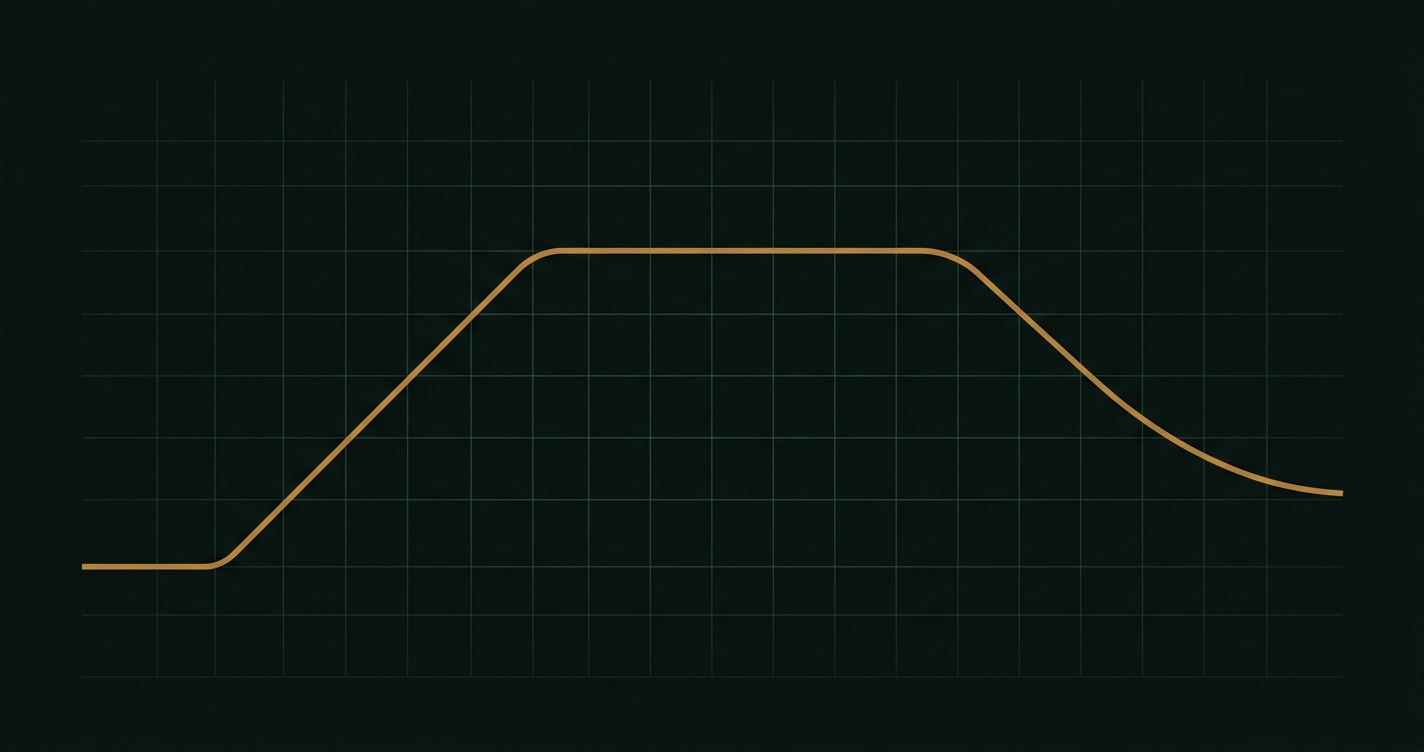
    { duration: '2m', target: 20 },   // ramp up
    { duration: '5m', target: 20 },   // sustain
    { duration: '2m', target: 0 },    // ramp down
  ],
  thresholds: {
    http_req_duration: ['p95<500'],    // 95th percentile under 500ms
    http_req_failed: ['rate<0.01'],    // less than 1% errors
  },
};

export default function () {
  const res = http.get('https://your-site.com/');
  check(res, {
    'status is 200': (r) => r.status === 200,
    'response time < 500ms': (r) => r.timings.duration < 500,
  });
  sleep(Math.random() * 3 + 1); // 1-4 seconds between requests
}
This is already better than most load tests I've seen in production because it includes thresholds (pass/fail criteria), realistic think time, and checks that validate response quality, not just availability.
Model real users, not just traffic
The most common load testing mistake: hitting a single URL with maximum concurrency. That tells you the theoretical ceiling of your homepage, which is almost never the bottleneck.
Real traffic is messy. Users browse, search, add items to carts, submit forms, hit API endpoints in unpredictable sequences. Your load test should reflect this.
import http from 'k6/http';
import { sleep, group } from 'k6';

export default function () {
  group('browse', () => {
    http.get('https://your-site.com/');
    sleep(2);
    http.get('https://your-site.com/products');
    sleep(3);
    http.get('https://your-site.com/products/popular-item');
    sleep(2);
  });

  // 30% of users search
  if (Math.random() < 0.3) {
    group('search', () => {
      http.get('https://your-site.com/search?q=widget');
      sleep(2);
    });
  }

  // 10% of users submit a form
  if (Math.random() < 0.1) {
    group('contact', () => {
      http.post('https://your-site.com/contact', {
        name: 'Load Test',
        email: 'test@example.com',
        message: 'Performance test submission',
      });
      sleep(1);
    });
  }
}
The percentages don't need to be exact. Check your analytics for rough ratios. The point is that your load test exercises the same code paths your users do, in roughly the same proportions.
Setting baselines
Before you can detect regressions, you need to know what "normal" looks like. Run your load test against your current production-like environment and record:
- p50, p95, p99 response times for each major endpoint
- Error rate at your target concurrency
- CPU and memory utilization at sustained load
- Database query time (p95)
- Throughput (requests per second at target concurrency)
These become your baselines. Store them somewhere versioned (a JSON file in your repo works fine). Future test runs compare against these numbers.
The 70% rule
Target 70% peak resource utilization as your capacity ceiling. If your load test shows CPU at 70% under expected peak traffic, you have headroom for spikes. If you're already at 90% during normal load testing, you're one viral link away from an outage.
This applies to every constrained resource:
- CPU
- Memory
- Database connections
- Connection pool size
- Disk I/O (often forgotten)
When any resource crosses 70% during a load test at your target traffic level, that's your signal to either optimize or scale before it becomes a production problem.
When tests fail
A failed load test is not a crisis. It's the system working as designed. The whole point is to find problems before users do. When a test fails:
1. Identify the bottleneck. Is it CPU-bound? Memory? Database? Network? A single slow endpoint? K6's output will show you which requests are slowest. Cross-reference with your APM (Datadog, New Relic, Sentry) to find the specific code path.
2. Fix one thing at a time. Don't tune PHP-FPM settings, add a CDN, and refactor a query all at once. Change one variable, re-run the test, measure the delta. This is how you build understanding of your system's performance characteristics.
3. Re-run against the baseline. After fixing, run the same test again. Compare against your stored baseline. Did p95 response time improve? Did resource utilization drop? Update the baseline if the improvement is genuine and expected to persist.
Regression testing cadence
Run load tests on two cadences:
Monthly (lightweight): 10-20 concurrent users for 10 minutes against your staging environment. This catches regressions introduced by application changes, dependency updates, or content growth. Quick enough to run in CI.
Quarterly or before major events (full): Target 2-3x your expected peak traffic. This validates your infrastructure can handle spikes. Run against a production replica, not staging, since staging environments often have different resource limits.
Automate the monthly runs. Put them in your CI pipeline and fail the build if thresholds are exceeded. The quarterly runs usually need manual setup (production replica, coordination with the team) but should still use the same test scripts.
Test environment fidelity
Load test results are only as good as the environment they run against. Common pitfalls:
Different hardware. Testing against a 2-core staging server tells you nothing about your 8-core production server's behavior. If you can't test against production-equivalent hardware, at least document the differences and adjust your thresholds proportionally.
Empty caches. Your production site has warm caches. Your test environment probably doesn't. Run a warm-up phase before measuring. K6's stages feature handles this naturally if you include a ramp-up period.
Synthetic data. A database with 100 rows performs very differently from one with 10 million rows. Use a production database snapshot (anonymized if needed) for realistic query performance.
CDN bypass. If your production traffic goes through Cloudflare or CloudFront, your load test should too, unless you're specifically testing origin server capacity. Test what your users actually hit.
The meta-point
The tool matters less than the practice. K6 is my preference, but the methodology works with any load testing tool. What matters is:
- Tests model real user behavior
- You have stored baselines to compare against
- Tests run on a regular cadence, automated where possible
- Failed tests are treated as valuable information, not emergencies
- The test environment matches production closely enough to be meaningful
A load testing practice that runs consistently beats a sophisticated one-off test every time. Start simple, automate it, and improve the scenarios as you learn more about how your users actually behave.